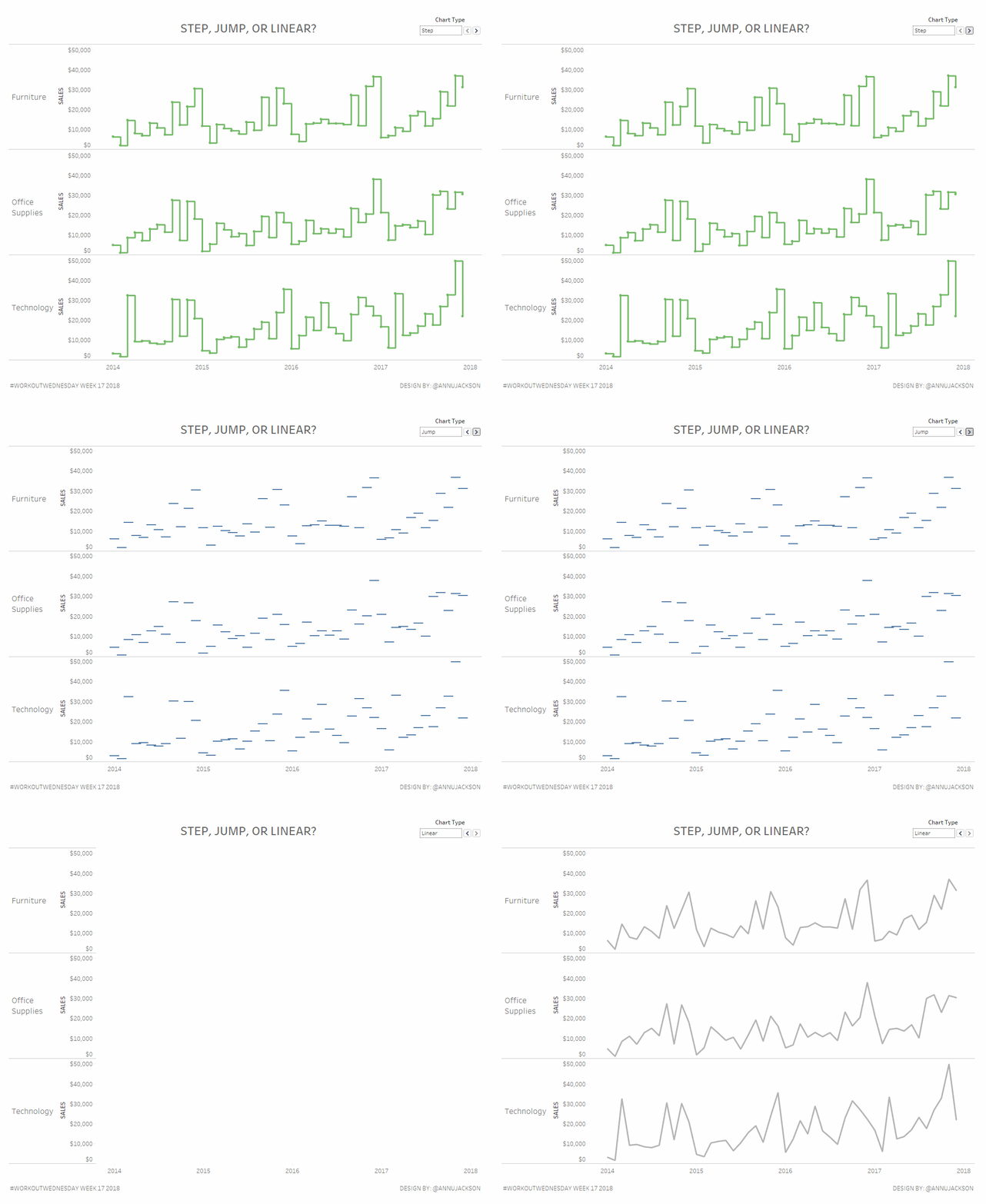
What better way to celebrate the release of step lines and jump lines in Tableau Desktop with a workout aimed at doing them the hard way?
Using alternative line charts can be a great way to have more meaningful visual displays of not-so-continuous information. Or continuous information where it may not be best to display the shortest distance between two points in a linear way (traditional line charts).
Step line and jump line charts are most useful for something with few fluctuations in value, an expected value, or something that isn’t consistently measured.
The workout this week is very straight forward – explore the different types of line charts (step lines, jump lines, and linear/normal lines). Don’t use the new built in features of 2018.1 (beta or release, depending on when you’re reading) found by clicking on the Path shelf. Instead use other functions or features to create the charts.
The tricky parts about this week’s workout will be the step lines. Pay special attention to the stop and start of the lines and where the tooltips display information. You are not allowed to duplicate the data or create a “path ID” field. Everything you do should be accomplished using a single connection of Superstore and no funny business.
Tiny additional element of creating the ability to flip through the chart types.
Requirements:
- Dashboard size 1000 x 800
- Displaying sales by month for each Category
- Create a button that flips through each chart type
- Match step line chart exactly, including tooltip, start/stop of lines, colors, labels
- Match jump line chart exactly, including axes, labels, tooltips
- Match normal line chart exactly, including axes, labels tooltips
This week uses the superstore dataset. You can get it here at data.world
After you finish your workout, share on Twitter using the hashtag #WorkoutWednesday and tag @AnnUJackson, @LukeStanke, and @RodyZakovich. (Tag @VizWizBI too – he would REALLY love to see your work!)
Also, don’t forget to track your progress using this Workout Wednesday form.
Leave a Reply